
Industry · Education · Odoo 20
VexaNext Education ERP runs the whole campus on Odoo 20: admissions, student records, course registration, class routines, attendance, exams and CGPA, fees and accounting. Students get their own Student Hub portal to register courses, pay fees with bKash, check results and download QR-verified admit cards.
Live at edu.vexanext.combKash Tokenized CheckoutUGC 4.00 grading
Sound familiar?
Screen tour
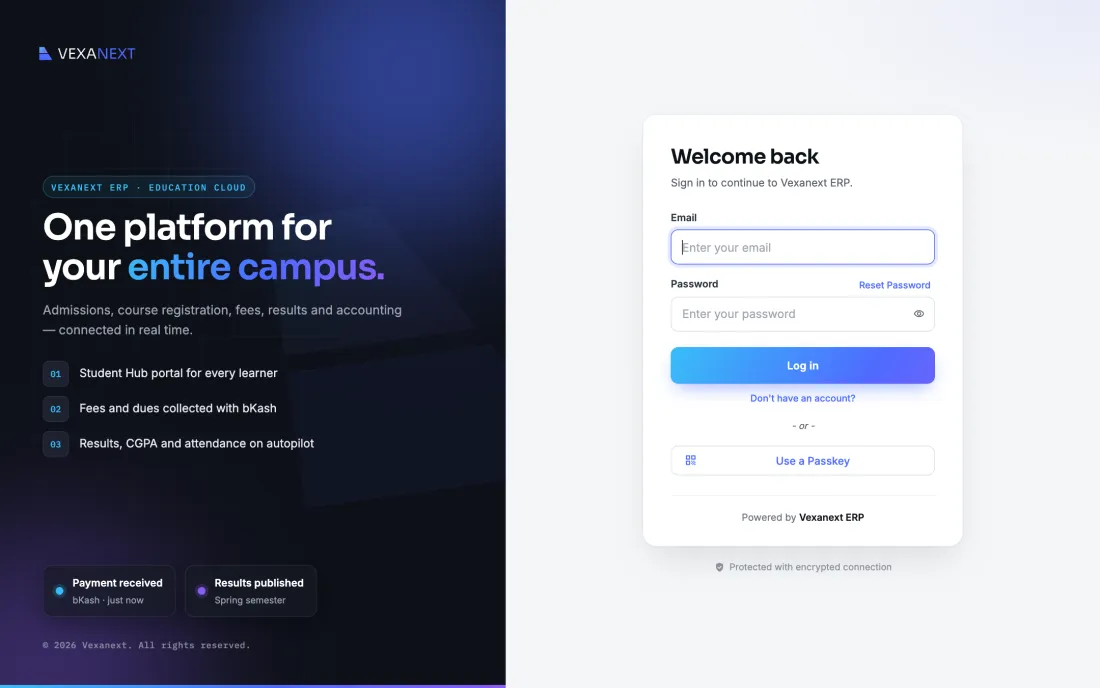
Follow a semester through the system: sign-in, the back office, the faculty dashboard, the Student Hub, a bKash payment and the admit card it unlocks. Click any step, or let it play.
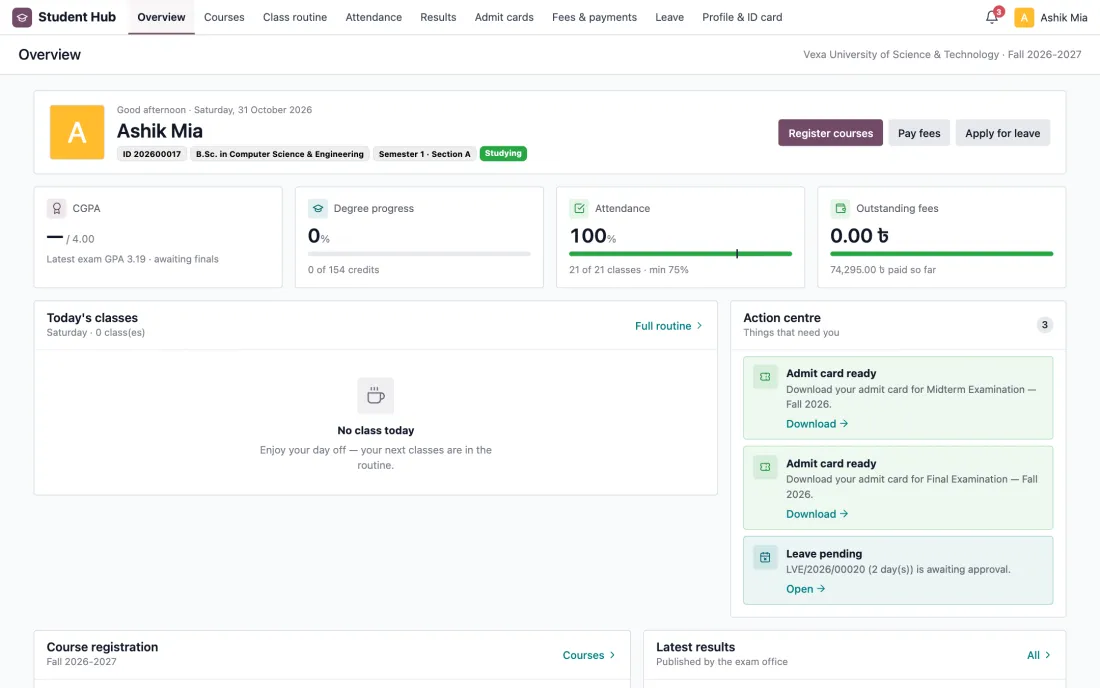
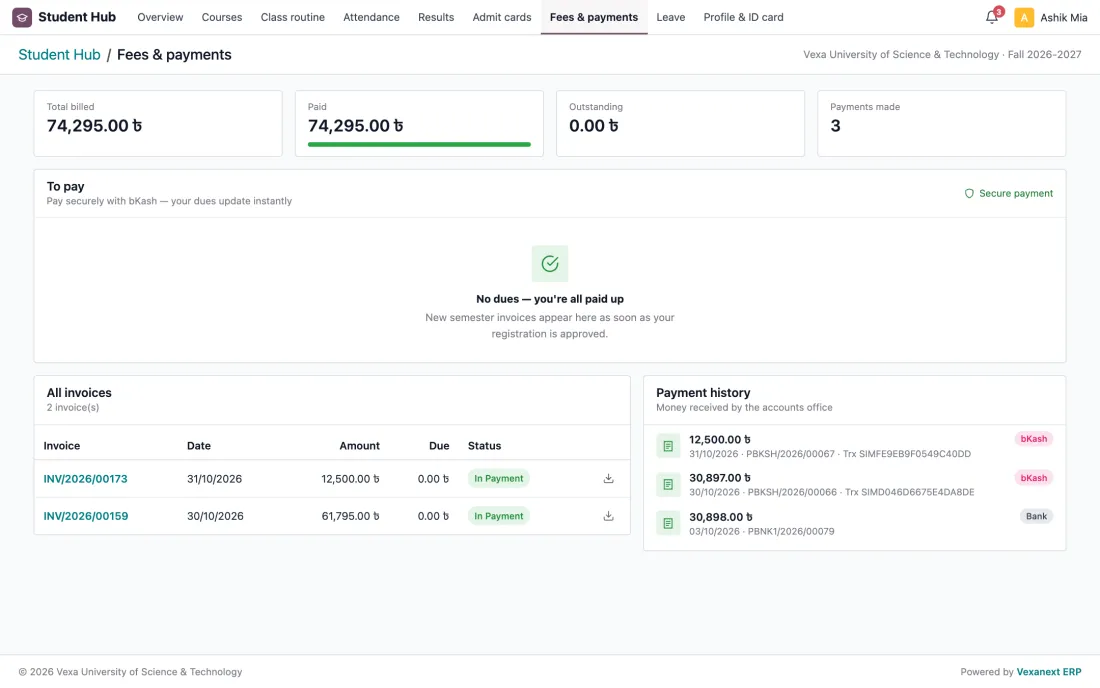
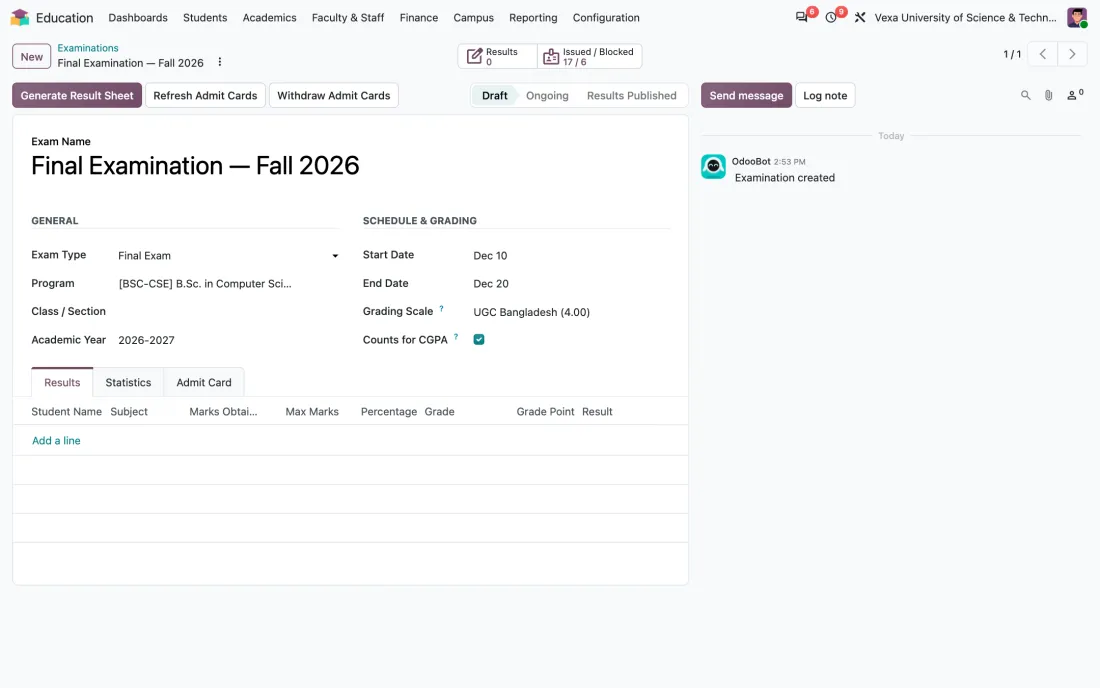
Real screens · demo dataOdoo 20 · Student Hub · bKash
Who signs in
There is no separate student website to maintain. Access rights are enforced on the server, so every account lands in its own workspace and sees only what it should.
| Who signs in | Where they land | What they can do |
|---|---|---|
| Administrator / registrar / accounts | Back office | Everything, limited by role |
| Faculty | Faculty dashboard | Own classes, attendance, marks, routine |
| Student | Student Hub | Courses, fees with bKash, results, admit cards |
For administrators
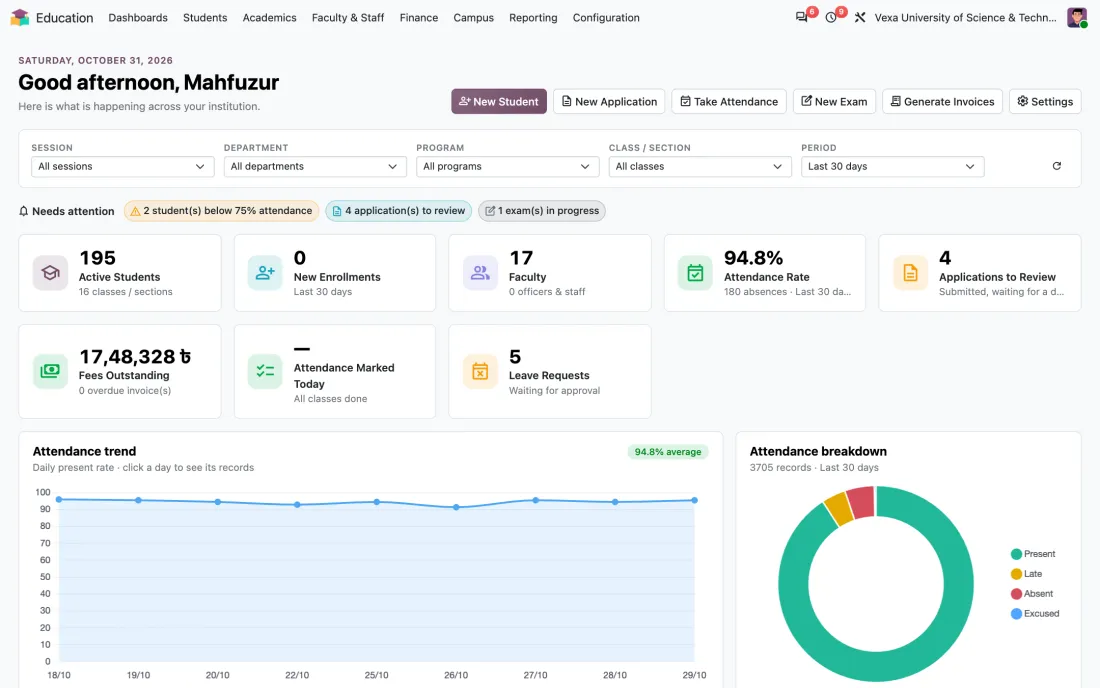
Registrar, exam office, accounts and management work from one database, so a payment, a grade or an absence is visible everywhere the moment it is recorded.
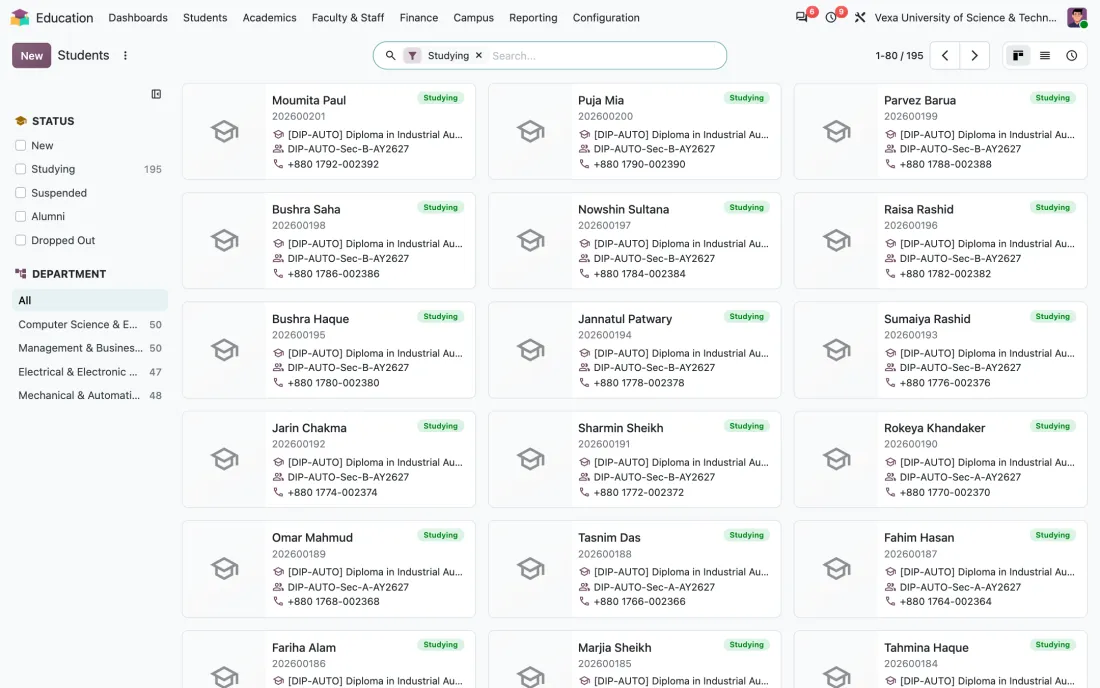
Application pipeline, document checklist, enrolment and a complete student file with guardians, BD address and history.
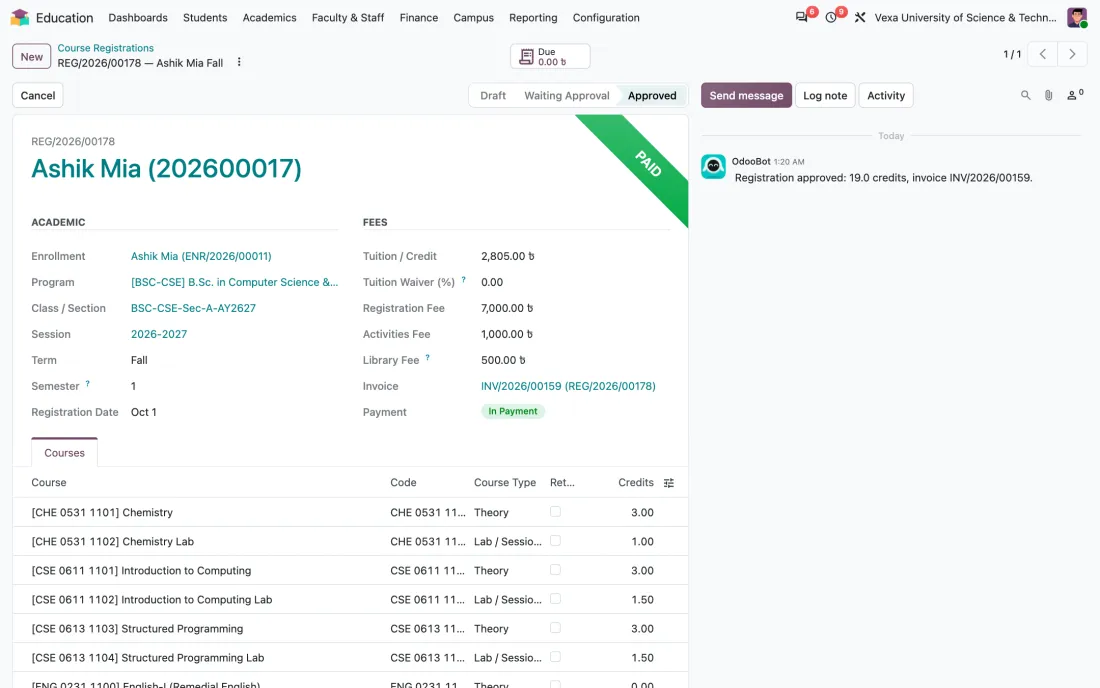
Students register for the semester, advisers approve, and the invoice is generated from credit hours, semester fees and waivers.
Exam schedules, marks entry, GPA/CGPA on the UGC 4.00 scale, result sheets and admit card release rules per exam.
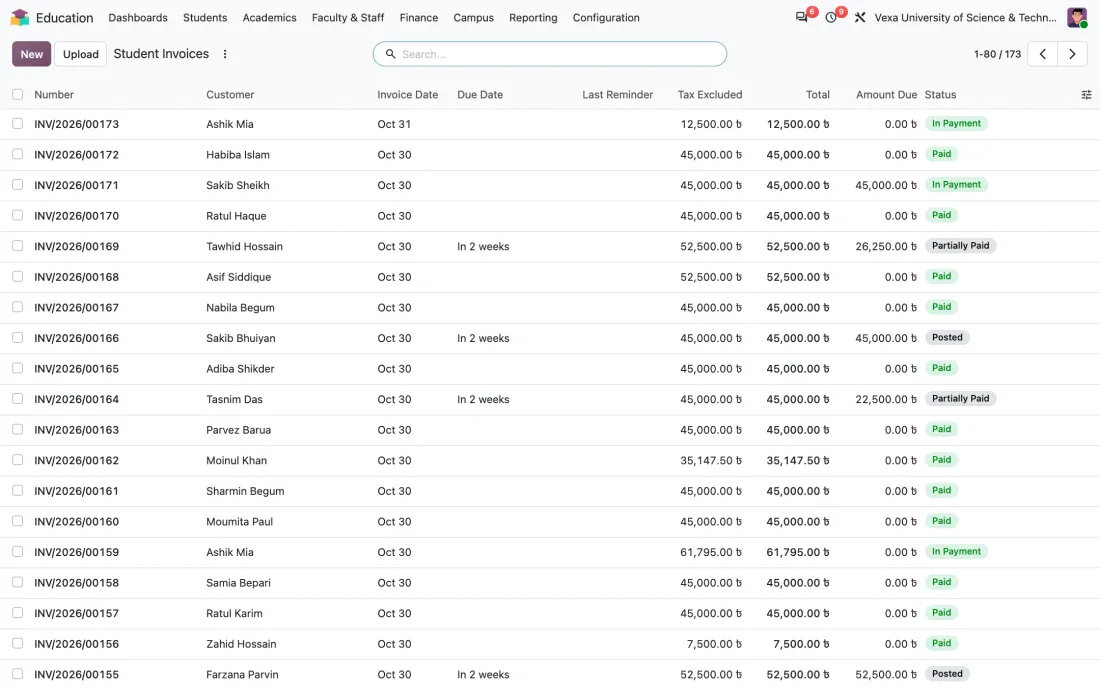
Semester invoices, payments received by bKash, bank or cash, outstanding dues and income split into tuition, registration and other fee accounts.
For faculty
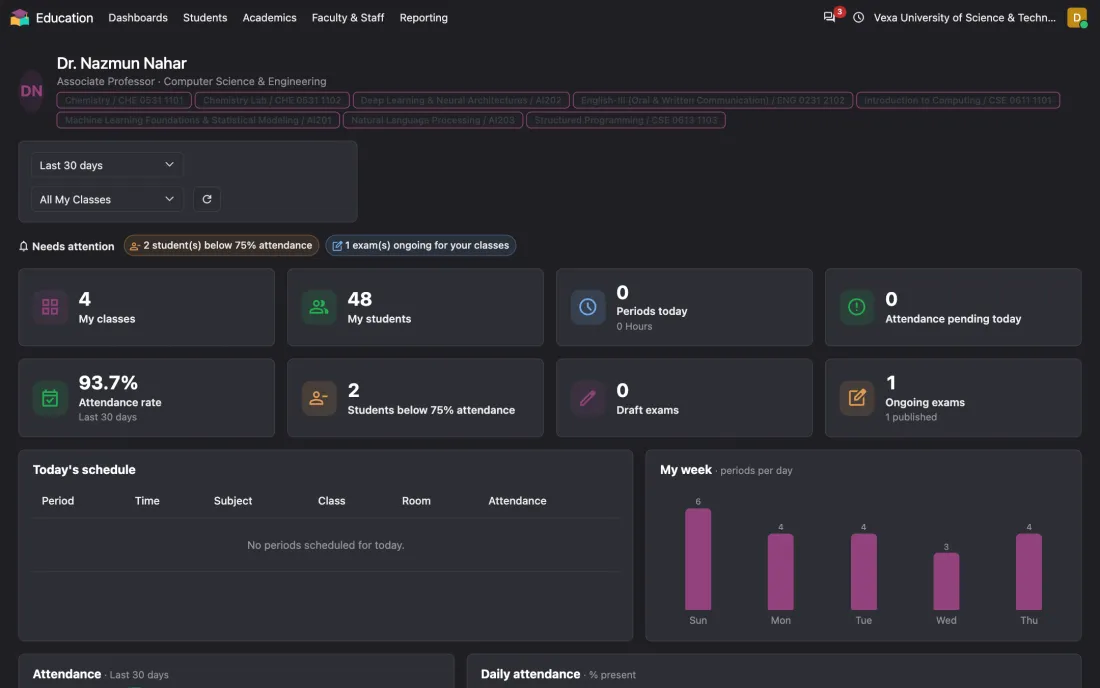
Faculty see only what is theirs: today's periods, their sections, attendance to take, students below the 75% rule, and exams that need marks.
For students
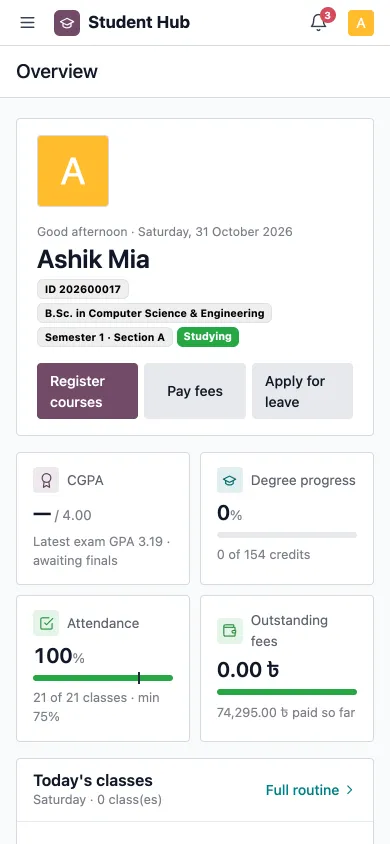
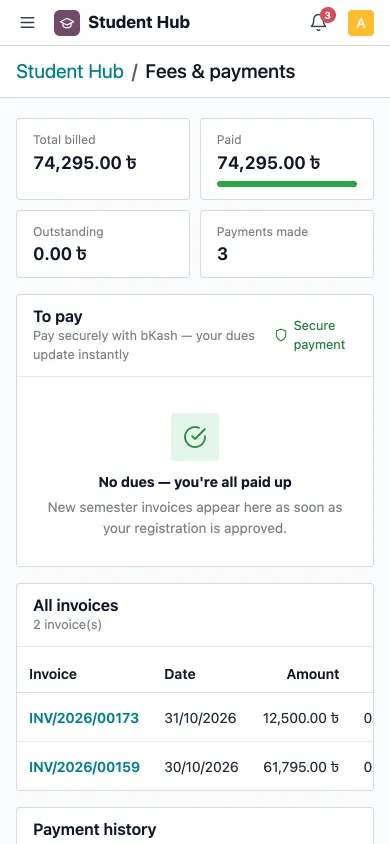
A clean, mobile-first portal. Students register courses, pay with bKash, see attendance and results, and download admit cards without visiting an office.
Fees with bKash
Every step below happens without a person in the accounts office touching it.
The student selects courses in the Student Hub; the adviser approves.
STUDENT HUBThe semester invoice is created from credit hours, fees and any waiver.
AUTOMATICThe student pays from the portal using bKash Tokenized Checkout.
ABOUT 1 MINUTEThe payment is matched to the invoice and posted to the bKash journal with its TrxID.
INSTANTIf the exam's rule is met, the admit card is issued and ready to download.
INSTANT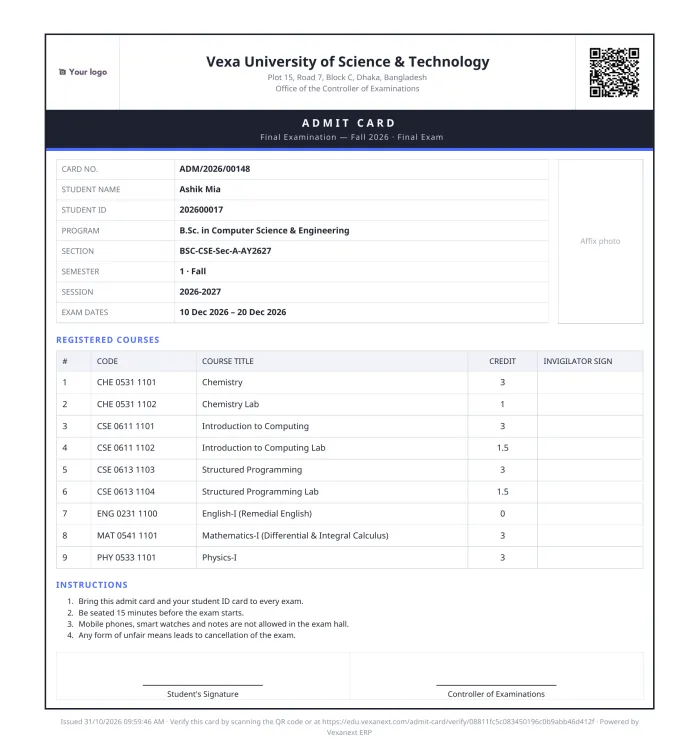
Admit cards
Set the rule once per exam: a share of the semester fee for midterms, full clearance for finals, or open for everyone. Cards are issued automatically as students pay, numbered, and carry a QR code that opens a public verification page, so invigilators can check a card in seconds.
What's inside
Proof
Our education ERP work started with 7 subsystems built for a private university in Dhaka, where fee invoicing became about 95% faster.
It is a school, college and university management system built on Odoo 20. One database runs admissions, student records, course registration, class routines, attendance, exams and results, fees and accounting, hostel, transport and scholarships, with a separate Student Hub portal for learners.
No. Everyone signs in at the same login page. The system recognises the account and opens the right workspace: administrators see the full back office, faculty see their own classes and dashboard, and students land in the Student Hub. Students can never reach the back office.
Yes. The Student Hub uses the bKash Tokenized Checkout. The payment is reconciled against the invoice immediately, the student's dues update on screen, and the payment appears in accounting with the bKash transaction ID. No manual matching is needed.
Each exam has a release rule. By default a midterm admit card is released once a set share of the semester fee (50% unless you change it) is paid, and a final exam admit card once all dues are cleared. Students download the card from the portal. Every card carries a QR code that links to a public verification page.
Yes. It ships with the UGC 4.00 grading scale and CGPA, credit-hour tuition billing, a Sunday–Thursday week, the 75% attendance rule for exam eligibility, BDT with lakh/crore number formatting, and district lists. Grading scales, fees and rules are all configurable.
No. It is used for universities, colleges and schools. Programs, classes and sections, terms and fee structures are configurable, and one installation can run several campuses or institutions as separate companies.
Yes. Student lists, enrollments, outstanding dues and past results are imported from Excel or an existing system during implementation, and checked with your accounts team before go-live.
A typical rollout takes 4 to 8 weeks: process review, configuration, data migration, staff training and a supervised first semester. Start before your admission season (January–March or July–September).
Book a free 45-minute session. We walk through the live system as an administrator, a teacher and a student, then map it to your process.
Newsletter
One Odoo + brand insight a month. No fluff.
Hi! What can we help you with? Pick a topic or type a message and we'll continue on WhatsApp.
Opens WhatsApp to +8801958561087.
